
New
File Manager
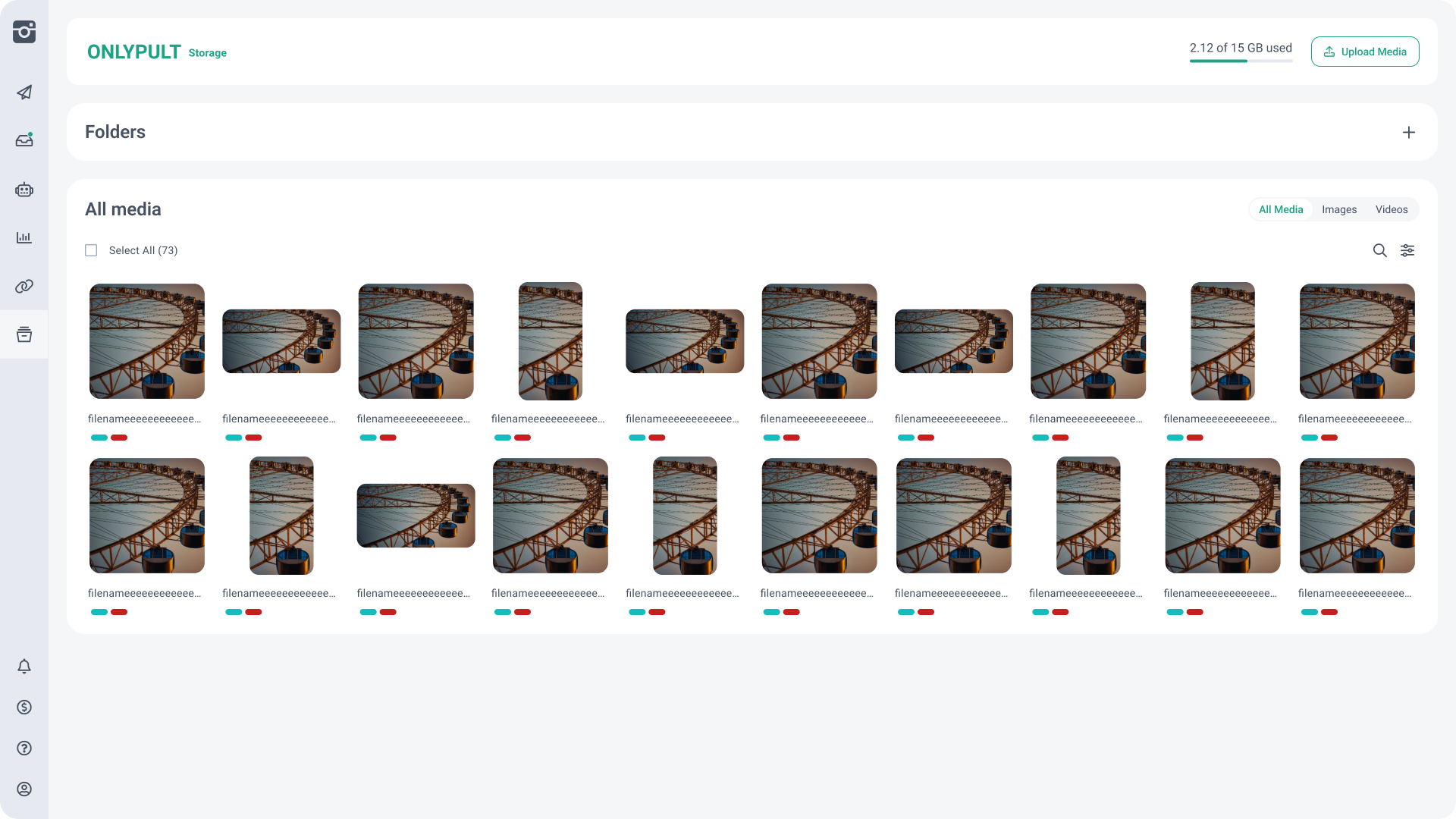
Added a new File Manager for storing and organizing media files in Onlypult.
You can:
When a stored file is added to a post, Onlypult creates a copy for the publication, while the original remains in the File Manager.
Available storage and maximum file size depend on your subscription plan.
Added a new File Manager for storing and organizing media files in Onlypult.
You can:
- Upload files for future publications
- Select stored media directly from the post creation form
- Create, rename, and delete folders
- Move files between folders
- Rename and delete files
- Select and manage multiple files
When a stored file is added to a post, Onlypult creates a copy for the publication, while the original remains in the File Manager.
Available storage and maximum file size depend on your subscription plan.
Social profiles: publication retry settings
Added an option to enable or disable automatic retries for each social profile when an error occurs during publishing.
When this setting is enabled, Onlypult will automatically try to publish the post again if the initial publication attempt fails. The setting is available both in the profile settings and in the publication settings inside the post creation form.
Automatic publication retries are enabled by default.
Translation widget
Added a translation widget for developer pages.
Added an option to enable or disable automatic retries for each social profile when an error occurs during publishing.
When this setting is enabled, Onlypult will automatically try to publish the post again if the initial publication attempt fails. The setting is available both in the profile settings and in the publication settings inside the post creation form.
Automatic publication retries are enabled by default.
Translation widget
Added a translation widget for developer pages.
Bug fixes
Alt Text when cloning posts
Fixed an issue where Alt Text was not copied when cloning a post.
Short release description
This release introduces the File Manager, profile-level publication retry controls, and a translation widget for developer pages, along with a fix for copying Alt Text when cloning posts.
Fixed an issue where Alt Text was not copied when cloning a post.
Short release description
This release introduces the File Manager, profile-level publication retry controls, and a translation widget for developer pages, along with a fix for copying Alt Text when cloning posts.